99exch Green — Switch to the Trusted .green Route When Your ISP Shuts the Main Door

If your provider has blocked the usual 99Exch address, typing 99exch green as 99exch.green is a working way back to the sign-in. Betting domains in India get shut off by ISPs from time to time; a mirror only changes the road, so your same ID and same balance come along untouched. Our check on 12 Oct 2026 found the 99Exch login screen live there.

Switch To .green banner, tested 12 Oct 2026: same ID, same balance, hostess in teal satin at the side
.GREEN

99exch Green Coin Slot: Trusted Sign-In on the .green Route

Same two fields you know from the main address, just reached through a different door.

Display only: when 99exch.green opens for you, these two boxes are what you will find there, with a captcha beneath them. This card sends and saves nothing.

99exch Green Explained: The Official .green Address Behind 99Exch

Start with the word itself. In 99exch green, the green part is the ending of a web address, sitting in the exact spot where .com or .in usualy goes, so 99exch.green is something you type into a browser bar and nothing more exotic than that. It is not a theme. It is not a special edition of 99Exch either, and it does not come with its own account.

So why keep a second address? Betting domains get blocked in India, mostly at the internet provider's end, and a blocked address simply stops answering on that one connection. 99Exch does not move your account when that happens. The ID stays put; only the road to the sign-in screen changes.

The address your provider stopped

The page spins, times out, or shows a notice from the network instead of the 99Exch login. Your username and password are untouched by any of this, because the block sits on the connection, not on the account.

The .green address

Typed as 99exch.green, it reached the same 99Exch login screen in our check on 12 Oct 2026. Same ID, same balance, since the account lives behind the address rather than inside it.

A small caution, because it catches people more often than the block does: an address that looks close is not the same thing. On the same evening we checked, 99exch.in redirected to a third-party site that sells IDs and writes about them, which is not the 99Exch login portal at all. Spelling counts. Type 99exch.green exactly, with nothing added before the dot and nothing after the word green.

.green
Our subject here, and on 12 Oct 2026 it opened straight to the 99Exch sign-in.
.red
A sibling mirror with the same login screen that evening.
.win
Another mirror, same result in the same test.
.live
The fourth ending that answered with the same 99Exch app.

Think of the four endings as entrances to one building. 99Exch keeps several because a provider that blocks one ending rarely blocks all of them on the same day, and a reader who knows the full set is never more than a retype away from the login. Which one you use makes no difference to the account. None at all.

Most people land here in one of two situations. Either the usual 99Exch address has just refused to open and they searched for another way in, or someone on the WhatsApp desk mentioned the .green ending and they want to know whether it is real before typing a password into it. Both questions get the same answer on this page: it is a mirror of the same 99Exch login, tested on a stated date, and it takes the ID you already have.

Verified 99exch Green Status: What 99exch.green Showed on 12 Oct 2026

We tested the address ourselves at 20:25 IST on 12 Oct 2026, using a plain request sent from a server rather than a phone on a home connection, and that detail matters, because a block lives on a particular network and our test only proves that the address was up and serving the 99Exch sign-in at that moment. Here is what came back.

CheckResult on 12 Oct 2026
Address requestedhttps://99exch.green/
Time of the test20:25 IST
Server response200 over HTTPS, page served normally
What loadedThe same 99Exch login app shell the other mirrors serve
Page title in the browser tabIndex
Size of the page12242 bytes, identical to .red, .win and .live
Same check on 99exch.comNo response (timed out)
Same check on 99exch.io404, nothing there
Same check on 99exch.inRedirected to a third-party ID-provider site, not the portal

The identical byte count says something modest but useful. Four mirror addresses handed back the very same file, which points to one 99Exch login app sitting behind all of them (that is our reading of the numbers, not something the operator has announced). The bottom rows matter as much as the top one. Not every ending that starts with 99exch belongs to the login: one answered with nothing, one sent visitors somewhere else entirely, and the .com gave no reply that evening. The tab title on .green, Index, looks plain. Expected, though, for an app shell that draws the 99Exch sign-in after it loads.

TILT NOTE

A clean result on our server is not a promise for your SIM card or your broadband line. If 99exch.green fails on your connection while this table says it was up, the block is local to your provider. Try another tested 99Exch mirror before assuming anything is wrong with the account.

What a working 99exch green looks like

The address bar keeps 99exch.green, the page settles, and the 99Exch sign-in draws its username field, password field and captcha. That is the same picture our test recorded, so you can treat it as the baseline.

What a blocked one looks like

The tab spins without end, the browser says the site cannot be reached, or a page from your network appears in place of the login. Sometimes the address bar jumps to something you never typed. Any of these means the route is closed on that connection, not that 99Exch has gone.

You can repeat our check from your own phone, and it takes very little time. Open a private tab so no saved page interferes, type the full address with https at the front, and watch what the tab title and the screen do. If the 99Exch login appears, the route is open for you right now; if it does not, the result belongs to your network, and the same test on another connection will often come out differently.

It helps to be clear about what our 12 Oct 2026 check did not cover. We did not sign in with a real 99Exch ID during the test, we did not time how fast the lobby opened after login, and we did not try every Indian provider. What it shows is narrower: on that evening the .green address was alive and handing out the same 99Exch sign-in file as the other three mirrors. Useful, but only a snapshot. A later date could tell a different story, which is why the date sits on every line of the table above.

On .green ticket strip, the same tables through the 99exch green route: emperor dragon tiger, lightning sic bo and super sic bo tiles

Quick Switch to 99exch Green From a Blocked 99Exch Address

  1. Confirm the main address is really the problem: open it once more, and if it spins or shows a network notice, stop refreshing it.
  2. Clear the address bar and key in 99exch.green by hand; results pages are where copycat sites tend to sit.
  3. The page that opens should be the 99Exch login itself, captcha included, rather than a sign-up form or a sales page.
  4. Enter the same username and password you use on the main address, then solve the captcha.
  5. Glance at the wallet figure after the lobby opens. A different number would mean you typed a different ID, not that the address changed anything, so recheck the username first.
  6. Save 99exch.green beside the main address in your bookmarks, so the next block costs one tap instead of a search.

That is the whole switch. Six moves, and none of them touch your account settings.

Step three deserves a second look, since it is the point where a wrong turn shows. If the screen in front of you asks for a phone number to register, offers an ID for sale, or looks nothing like the 99Exch login you know, you are not on the mirror. Close the tab and retype the address by hand.

A typical case looks like this: the 99Exch sign-in opens fine on home Wi-Fi in the evening, then refuses to load on mobile data the next morning, and nothing about the ID has changed in between, because the mobile network blocked the address while the home line had not, so typing 99exch.green on mobile data is the entire fix. Same username. Same password. Same balance waiting on the other side.

Captcha keeps failing on .green

Almost always a misread character, often on a small phone screen where two letters look alike. Pull a fresh image by reloading the 99Exch screen instead of squinting at the old one, and zoom in if the characters are cramped.

Page loads but stays empty on .green

The 99Exch login is an app shell, so the frame arrives first and the fields draw a beat later. Give it that beat. If the the screen is still blank after one reload, the route is half-open on your network; move to 99exch.red or 99exch.win rather than waiting it out.

What not to do? Do not ask for a new 99Exch ID just because one address stopped loading. A second ID would sit behind the same mirrors and face the same block, and your balance stays on the original one anyway. Do not type the address into a search engine and click the first result, either; the search box is where lookalikes live, and the third-party site we found behind 99exch.in is a good example of how close they can look. Typed-address problems in general, such as https against http or a stray space, are covered on the typed-address fixes on 99exch com login, so we will not repeat them here.

Fast 99exch Green Facts Before You Type the .green Address

Why 99exch green is a genuine web address, not a colour

A search for 99exch green usually starts with a page that failed to load. The short answer: .green is a domain ending, and 99exch.green points at the same 99Exch login portal you already use, with nothing new to learn on the screen.

Because the account sits behind every working mirror, the 99exch green address takes your existing ID and shows the same balance. No new registration, no second password.

The verified 99exch green load check, typed into a browser

Tested
12 Oct 2026, 20:25 IST
Address
99exch.green over HTTPS
Screen
the same 99Exch login app shell as .red, .win and .live
Main .com that evening
no response

Quick 99exch green moves when the route stalls

Next in line after .green on a bad day: 99exch.red, then 99exch.win, then 99exch.live. Each returned the identical 99Exch sign-in file on 12 Oct 2026, so the order you try them in is only habit.

Every ending failing together points at your own connection more than at 99Exch. One message naming the endings you tried, sent to +91 81097 11726, gets you the address that is up today.

Players also search

99exch Green on Your Phone and the Official 99Exch App

Typing 99exch green on Android Chrome: quick checks

Chrome or any Android browser takes 99exch.green the same way a laptop does. The portal also has a mobile path, /m/home and /m/login, that some people keep in bookmarks; we did not test that path on .green, so if it fails, drop back to the bare address and let the 99Exch screen load from there.

The official 99Exch app and the .green route

The Android app is a separate install from the official portal, not from the Play Store, and it signs in with the same ID. Whether it talks to the .green address behind the scenes is not something we checked, so do not count on it. The full install steps sit on the 99Exch APK download page.

iPhone home-screen shortcut for 99exch green, free and easy

There is no iPhone app. Open 99exch.green in Safari, tap the share icon, then Add to Home Screen, and the shortcut will open that address directly the next time.

Phones are where most blocks show up first, probably because a mobile network and a home broadband line rarely share a provider, so the same person can hit a wall on one and sail through on the other within the same hour. Keep both routes saved. If the 99Exch app opens normally, there is nothing to switch; the .green address is for the browser, and it is the browser that usually gets stopped.

One habit helps more than anything else here. When you save 99exch.green, save it after the 99Exch login has actually loaded, not before, so that the bookmark or home-screen icon points at a page you have seen working rather than at a typo. Small thing. It saves a confused minute later.

On a laptop the routine is the same, only easier to keep tidy. Put 99exch.green in the bookmarks bar next to the main address and the other mirrors, label each one by its ending, and the next block becomes a single click instead of a search. Office and college networks block betting addresses more strictly than home lines, in practice, so a laptop that works at home and fails at work is behaving normally.

When 99exch Green Slows Down: Reliable 99Exch Fallback Routes

PIT STOP

A slow 99exch green and a blocked one are different problems. Slow means the page arrives late or the captcha image takes time to draw; blocked means it never arrives, or a network notice appears instead. Give a slow page one patient wait and a single reload. A blocked one will not improve with refreshing, so move to another 99Exch address.

99exch.red
The nearest backup: it returned the identical login file in our test. Its own dated notes live on the 99exch red address page.
99exch.win
Same screen, same test evening; the 99exch win login route has its own notes.
99exch.live
Same login app shell, same evening.
99exch.com
No response on 12 Oct 2026; why the main address drops out is covered on 99 Exchange com.
WhatsApp desk
+91 81097 11726, for which 99Exch address works today.

Order matters less than people think. Any of the tested mirrors leads to the same 99Exch account, so pick the one that loads fastest on your connection today and do not worry that a different ending means a different wallet, because it does not.

What we would not do is jump between addresses in the middle of a sign-in. Finish on one, or abandon it cleanly, then try the next. A half-finished captcha on one tab and a fresh login on anther is how people lock themselves into a password error that has nothing to do with the block. And if every tested 99Exch address fails at once on your network, that is worth a message to the desk rather than another round of guessing; mirrors can change, and the desk knows the current one before any page like this does.

When you do message the desk, keep it short and specific. Say which 99Exch addresses you tried, .green included, and whether you are on mobile data or Wi-Fi; that is usually enough for the desk to reply with an address that works for you. Your username is fine to share if they ask for it. Your password is not, and nobody on the desk needs it to point you at a working mirror.

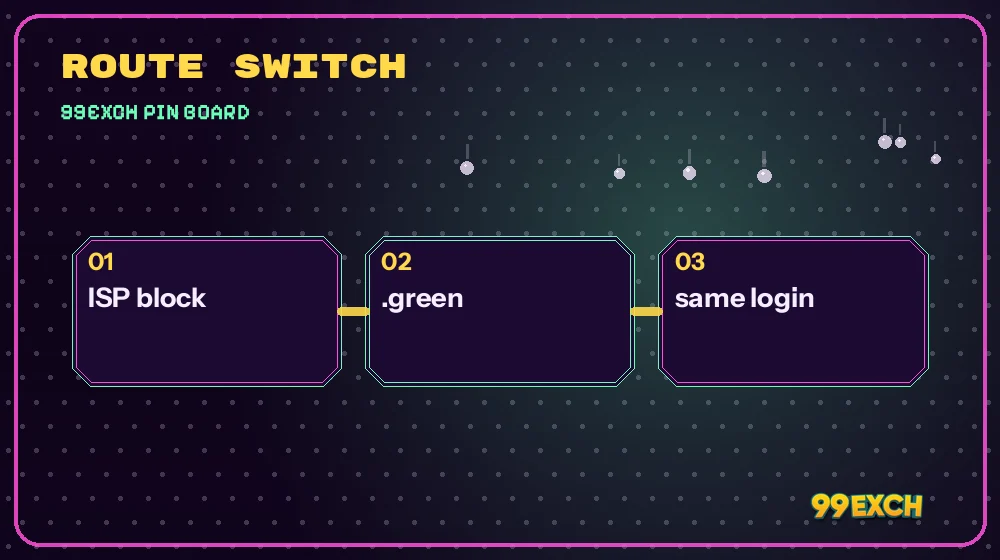
Route Switch chart for this page, steps ISP block to .green to same login

99exch Green Questions: Clear, Verified Answers on the .green Route

Is 99exch green safe to use for my real 99Exch login?

It is the same 99Exch login screen on a mirror address, so you sign in exactly as you would on the main one. When we tested 99exch.green on 12 Oct 2026 it served the same login app as the other mirrors. Type the address exactly, because lookalike spellings can lead to unrelated sites.

Does 99exch green take the same 99Exch ID and balance?

Your existing 99Exch username and password open the same account on 99exch green, balance included. Nothing is stored on the address itself; it is only a route to the one login system behind every mirror. There is no second registration, and a provider block on the main address leaves the ID exactly where it was.

Did 99exch.green load when it was tested?

Yes, 99exch.green loaded the same 99Exch login screen when we tested it at 20:25 IST on 12 Oct 2026. The page matched the .red, .win and .live mirrors byte for byte. That was a server test, so a block on your own mobile network or broadband line can still stop it locally.

What should I do if 99exch green is slow or stops loading?

Wait once and reload a single time if it is slow; if it never loads, switch to 99exch.red, 99exch.win or 99exch.live, which served the same 99Exch sign-in on the test date. If every mirror fails on your connection, message the WhatsApp desk on +91 81097 11726 for the address working today.

Does the 99Exch app use the 99exch green address?

We have not confirmed which address the 99Exch Android app connects to, so treat 99exch green as a browser route. The app is installed from the official portal, not the Play Store, and it signs in with the same ID. If the app opens normally, you have nothing to switch.