99Exch APK — Put the Official Arcade App on Your Android Phone, Easy
The 99Exch APK is an Android file you download from the official 99Exch portal and install yourself, because the app is not listed on the Play Store. Download it, allow that one source in Android settings, install, then sign in with the 99Exch ID you already use in the browser. Same username. Same balance.
0199Exch APK or the Browser: One Official ID, One Balance
Most people land here with one question: if I install the 99Exch app, do I need a new account? No. The 99Exch ID that opens the sports exchange in Chrome is the same ID the APK asks for, and whatever balance sits on it shows up in both places, because the money lives on the account rather than inside the phone.
So the choice between the 99Exch APK and the browser is about convenience, not about access. Two doors, one room.
That also means switching back and forth costs nothing. Install the 99Exch APK, use it for a week, delete it if it does not suit you, and the browser login carries on exactly as before, with the same username and the same password (well, the same password unless you changed it in the meantime, in which case the new one works in both).
Why some players keep the 99Exch app installed
An icon on the home screen means no typing an address and no hunting through bookmarks when a match is about to start. The 99Exch app also stays in its own window, so a stray tab or a cleared browser history will not log you out halfway through an over. If you open the cricket book several times a day, that small saving adds up quickly.
When the 99Exch browser route is the easy pick
On an iPhone there is no APK at all, so the browser is the only route there (lane 05 below covers the shortcut). On a shared or office phone, you may simply not want an extra app. The 99Exch browser login also needs no storage space and no settings change, which is why some players never bother with the file.
Side-by-side differences between the full-form browser login and the Android build are laid out on the 99 Exchange login comparison page; this page sticks to getting the 99Exch APK onto the phone and keeping it working.
0299Exch App Download APK From the Official Portal, Start to Finish
One address matters here: 99exchlogin.com.in. That is the official 99Exch portal, the CTA beside the hero and the coin-slot card both open it in a new tab, and the Android file is fetched from there. Similar names turn up in search results and stores; none of them is that portal, and this page has no way to vouch for what they serve.
Open the 99Exch portal on the Android phone itself, in Chrome or whichever browser you normally use. Doing this on a laptop and moving the file across later works too, but it adds a step that usually is not needed.
Find the APK or app download link on the portal and press it once. Pressing it three times because nothing seemed to happen is how people end up with three copies of the same 99Exch download in one folder.
A caution box pops up the moment the download starts. Every APK fetched outside the Play Store triggers it, 99Exch included, so glance at the address bar: still the official portal? Then keep the file.
Let the progress bar run out. You should then find a file ending in .apk inside Downloads, its name carrying 99Exch or something very like it.
Tap the finished download from the notification shade or from Downloads. If Android now asks about unknown apps, that is the settings change described in lane 03, and it is expected.
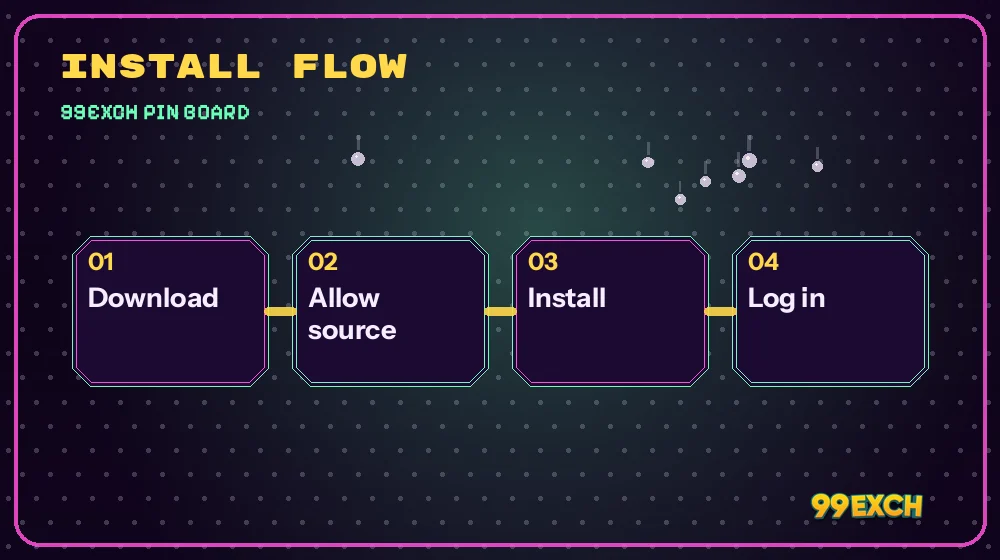
99Exch install order
Portal open in browser
APK link pressed once
Warning read, kept
.apk in Downloads
Source allowed
Install, open, log in
TILT NOTE
A file that arrives through a forwarded chat, a random link in a group or a site that only looks like 99Exch is a different matter entirely, and installing it hands that file whatever permissions it asks for. When in doubt, delete it and download the 99Exch APK again from the portal. That costs a minute, maybe two.
03Allow Install Unknown Apps for the 99Exch Download, a Quick Settings Change
Step 05 in lane 02 ended with Android asking a question. It asks because whichever app is holding the 99Exch download (Chrome, a file manager, now and then a chat app) has never been trusted to install software on this phone, and the answer you give covers only that holder. Chrome allowed does not mean Files allowed. The reverse holds too.
Menus differ by phone maker. The rough paths below are the common ones; your labels may be worded slightly differently, but the switch is always called somthing close to install unknown apps.
Prompt route
When you tap the 99Exch APK, Android usually shows a box with a Settings shortcut. Tap it, flip Allow from this source on, press back, and the install screen returns by itself. Quickest route by far.
Chrome manually
Settings, then Apps, then Special app access, then Install unknown apps, then Chrome, then switch Allow from this source on.
Samsung phones
Settings, Apps, the three-dot menu or Special access, Install unknown apps, then the browser or My Files, depending on where you tapped the 99Exch file from.
Files or My Files
Tapped the 99Exch APK from Files rather than from the download notification? Then Files is the app asking, the switch belongs to Files, and Chrome can stay exactly as it was.
Next handset
The switch is stored per phone. Move to a new handset and the 99Exch install stops at the same question again, so expect it there rather than hunting for a fault.
One small catch. Some phones hide Special app access behind an Advanced heading, and a few put it under Security instead of Apps, so if the path above dead-ends, type install unknown apps into the settings search bar at the top and it should jump straight there. Flipping the the switch for the wrong app is the usual reason the 99Exch install prompt keeps coming back.
99Exch APK Search Terms Matched to the Official Install Steps
Where the 99exch apk search ends up on this page
Three phrasings, one file. People typing 99exch apk, 99exch download apk or 99exch com apk are all asking for the Android build that the coin-slot card and the CTA above point at, and 99exch app download apk is answered step by step in lane 02, starting from the portal tab.
99exch download: the portal link, pressed once, file kept in Downloads
99exch com apk: the address people remember, pointing to the same file
99exch app: the installed icon that opens your existing login
Reading 99exch app download apk latest version as an update job
Searchers adding latest version usually already have the 99Exch app and want the newer build. The steps sit in lane 04: fetch the new file from the portal, install it over the old icon, and sign in again only if Android asks.
Fresh file from the portal, never a forwarded copy
Install over the current app; uninstall only if Android refuses
Same username and password afterwards
99 exchange apk and 99 exchange app, typed with the space
The spaced form 99 exchange apk, and 99 exchange app without the file word, both point to this same Android build and the same account. Spelling the brand with a space changes nothing about the download, the unknown apps switch or the login screen that follows.
Players also search
99exch apk
99exch app download apk
99exch app
99exch com apk
99 exchange apk
99exch app download apk latest version
99exch download
99 exchange app
99exch download apk
99exch apk kaise download kare
04Install, Open and Log In on the 99Exch App, Then Update It Safely
With the source allowed, the rest is short. The order below starts from the moment Android shows its install screen for the 99Exch APK and ends with you inside the lobby.
On the install screen, check the app name reads 99Exch or the portal name, then press Install. Android does the rest in the background.
When the screen says the app is installed, press Open. The icon has also been added to your app drawer, and on most phones to the home screen as well.
The 99Exch app opens on its sign-in screen. Type the username exactly as it arrived in your WhatsApp chat, then your password, and complete the captcha check if it appears.
New ID and still on the temporary password? Change it now, from inside the app, before anything else.
Check the balance shown matches what you saw in the browser. It should, since both read from the same 99Exch account.
Field-by-field help for the sign-in screen itself, including what appears after a successful login, lives on the 99Exch login walkthrough, so it is not repeated here.
Updating the 99Exch app to the latest version without losing your login
PIT STOP
Updating is a second trip to the portal, nothing more. Take the newer 99Exch APK from there, tap it, and look at the button Android offers: Update means it lays the new build over the old one and keeps the icon where it is. A message about the app not being installed, or a conflicting package, means the old 99Exch app has to go before the new file can land.
Deleting the old icon sounds riskier than it is. The phone holds a shortcut and some cached screens, while the 99Exch ID and its balance stay on the account, so after the reinstall you sign in and everything is where you left it. Know your password first, though (plenty of people only ever had the browser filling it in for them).
How do you know an update exists? There is no version number published on these pages and none is promised here. In practice, if the 99Exch app starts misbehaving after it has worked fine for weeks, downloading the current file from the portal is a sensible first move.
0599 Exchange APK on iPhone: The Easy Safari Home Screen Route
The coin-slot card near the top carries an ANDROID tag for a reason. Safari on an iPhone will not touch an .apk file, the portal lists no iOS download, and so anything sold as an iPhone build of the 99 Exchange APK is not something 99Exch put out. What does work on iOS is a home-screen tile made from Safari, opening the very same 99Exch account.
Pin the official 99Exch login in Safari
Open the 99Exch portal in Safari, not in another browser, and wait for the sign-in screen to load. Tap the Share icon at the bottom of the screen, scroll the sheet a little, and pick Add to Home Screen. Name it 99Exch, press Add, and a tile appears next to your other apps.
What the 99Exch home screen tile does
Tapping it opens the portal directly, usually without the address bar, so it looks close to an installed app. It is still Safari underneath. Your 99Exch username and password are the same ones you would use on Android or on a laptop.
Quick fix when the tile stops loading
Blank tile? The saved address has probably been blocked by an Indian internet provider. Delete that tile, load a mirror address that still answers, sign in once, and pin the mirror instead; the 99Exch account behind it does not change, balance included.
Android owners can do the same thing in Chrome (menu, then Add to Home screen) if they would rather skip the APK. The mobile path of the portal, the one people bookmark as m/home, is covered on the 99Exch com m home bookmark notes.
0699Exch Download Will Not Install? Clear Fixes for Each Error
Most failed installs come down to four or five causes, and the error wording on the phone usually points at which one. Read the exact message before trying anything. Saves guessing.
What the phone says
Likely cause
Fix for the 99Exch APK
There was a problem parsing the package
The download stopped early, or the file was renamed or moved mid-transfer
Bin the broken copy, fetch the 99Exch APK once more over a connection that is not dropping, and open it from the notification instead of moving it first.
Install blocked: this source is not allowed
The browser or file manager has no install permission yet
Use the Settings shortcut in the prompt and switch on Allow from this source (lane 03).
Blocked by Play Protect, or an unsafe app warning
Play Protect flags apps that did not come from the Play Store
Check the file came from the official 99Exch portal. If it did, the prompt normally has an option to install anyway; if it did not, delete it.
App not installed, or package conflicts with an existing package
Two apps cannot share one slot, and an earlier 99Exch icon (or a lookalike) still holds it
Uninstall the old app, then install the fresh file. Your account is untouched.
Not enough storage, or the install bar freezes
The phone is too full to unpack the file
Clear some space (old videos, unused apps), restart, then try the 99Exch install again.
App opens but the login will not go through
Wrong password, captcha not completed, or the address is blocked on your network
Retype carefully, finish the captcha, or try again on mobile data instead of wifi.
If you have worked down the table and the 99Exch app still refuses, the problem is probably the file itself rather than the phone, and the quickest way to rule that out is a brand-new download from the portal followed by a restart before you tap it. Still stuck after that? Message the WhatsApp desk, and the 99Exch WhatsApp number page shows how to save the contact and what to write first. A screenshot of the error message helps more than a description of it.
A typical case, pieced together from the usual pattern: someone downloads the 99Exch APK on patchy wifi, taps it, and gets the parsing error. They allow unknown apps, which changes nothing, because the permission was never the problem. The file was. A second download on mobile data installs at the first attempt. So match the fix to the message, not to whichever fix you read about first.
One more thing to rule out. Some phones run a separate cleaner or antivirus app that deletes fresh APK files from Downloads, which looks exactly like a download that never finished; if the 99Exch file keeps vanishing, check that app's quarantine list before downloading a fourth time.
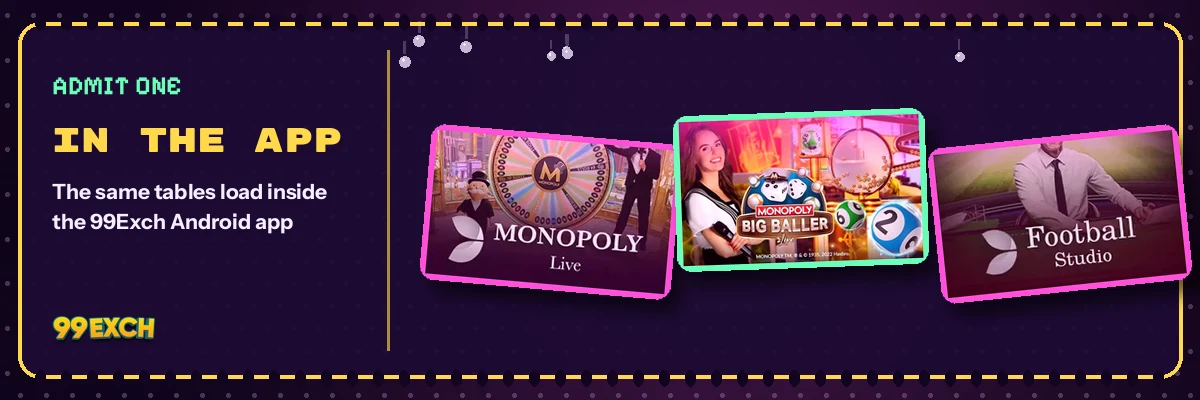
07Live Casino Tables Inside the 99 Exchange App, Ready After Login
Once the 99Exch app is signed in, its lobby holds what the 99Exch browser lobby holds: the cricket book, other sports, live casino tables and the crash games. A sensible first test after any fresh install or update is to open one live table and check that the video and the betting slip both load, because if the stream plays inside the 99 exchange app, the install is almost certainly fine. Four tables that work well for that check are below.
Prices and table limits open only after login, and nothing on this page states them. If a table loads in the browser but not in the 99Exch app on the same 99Exch ID, reinstall from a fresh portal download befor assuming anything else is wrong.
99Exch App Download APK FAQ: Quick, Clear Answers
Where do I download the official 99Exch APK?
Download the 99Exch APK from the official portal at 99exchlogin.com.in, which every download button on this site opens. Open the portal on the Android phone itself, press the app link once, and keep the finished .apk file in Downloads. Files forwarded in chats or found on lookalike sites are not the portal build.
Can I just search the Play Store for the official 99Exch app instead?
Searching the Play Store will not get you the portal build, since the 99Exch app is distributed only as an APK from 99exchlogin.com.in. Whatever appears there under a similar name has no link to this login portal, so skip it, take the file from the portal, and expect Android to ask for one install permission.
How do I allow unknown apps for a safe 99Exch APK install?
Tap the 99Exch APK, then use the Settings shortcut Android shows and switch on Allow from this source. Manually, the path is usually Settings, Apps, Special app access, Install unknown apps, then the browser or file manager holding the file. You can switch it back off after the install finishes.
How do I get the 99Exch app download APK latest version?
Treat the latest version as a repeat of the first download: take a fresh 99Exch APK from the portal, tap it, and choose Update when Android offers it. A refusal or package conflict means the old icon must go first. Your username, password and balance stay on the account through the swap, so nothing needs to be set up again.
My phone is an iPhone, so what is the easy replacement for the 99Exch APK?
Safari replaces it. APK files only run on Android, so iPhone owners open the 99Exch portal in Safari, press Share, pick Add to Home Screen and keep the tile it creates. The tile lands beside your other apps and opens the same sign-in screen, under the same username you would type on Android.
Will my 99Exch browser password also open the Android app?
Yes. Whatever password currently opens 99Exch in Chrome is the one the APK expects, and the username is identical too. The usual mix-up comes from saved autofill: if you reset the password in the browser recently, the app may still offer the old one, so clear that suggestion and type the new password yourself.
What is the quick fix when Android says the 99Exch APK cannot be installed?
Match the fix to the exact message on screen. A parsing error means the 99Exch file is damaged, so download it again; a source block means the permission switch is off; a package conflict means an old copy must be removed first; a storage note means space must be freed before the next tap.